




- Published on: 2026-09-25 15:00:00
How MT4 Works: Platform Mechanics
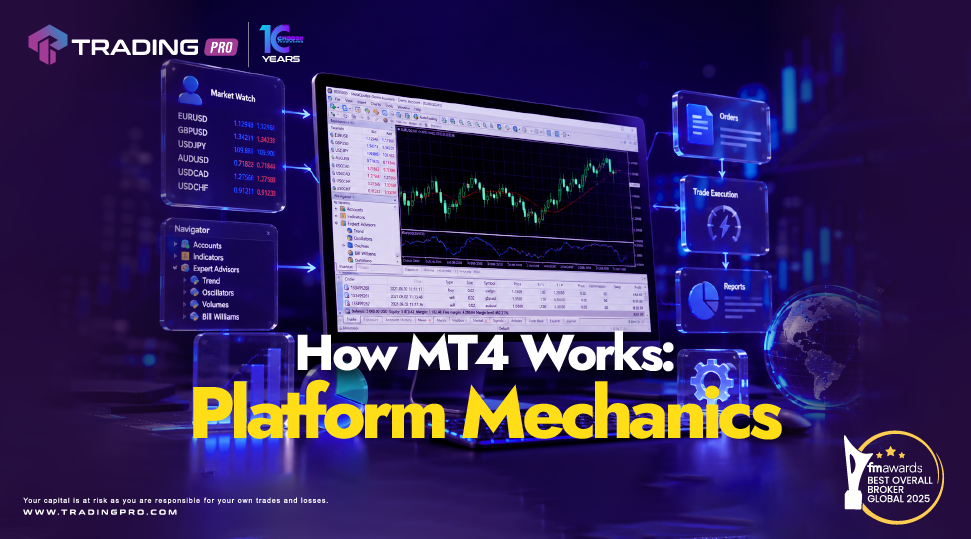
Understanding the internal mechanics of a trading interface helps demystify what actually happens when you press buy or sell. MetaTrader 4, widely known as MT4, remains the world standard forex trading platform because of its robust architecture, rapid order execution, and low system demands.
While the software screen displays price charts and numbers, behind the scenes lies a synchronized engine connecting your device to financial liquidity pools. This guide explains how mt4 works at a mechanical level, breaking down the client server architecture, order processing pathways, and real time data synchronization without overwhelming technical jargon.
The Core Engine: Client Server Architecture
To understand how the platform functions, think of MT4 as a two part communication highway consisting of the Client Terminal and the Broker Server.
1. The Client Terminal (Your Interface)
The software installed on your desktop, laptop, or mobile phone is known as the client terminal. Its primary mechanical job is to receive raw numerical data, convert that data into visual charts, and package your trade instructions to send across the network.
2. The Broker Server (The Processing Hub)
The server component is maintained entirely by your broker. It acts as the central processing brain. The server validates user credentials, streams continuous price quotes, calculates account margins in real time, and routes trade commands to external liquidity providers.
When you log into your trading account with a licensed provider like TradingPRO, your client terminal establishes a secure, encrypted socket connection directly to the broker's server. This continuous link allows real time data to flow back and forth with microsecond latency.
Data Synchronization: How Live Quotes Reach Your Screen
One of the key mechanics of MT4 forex trading is how live prices appear on your charts without freezing your computer.
- Liquidity Aggregation: Financial institutions and market makers feed raw Bid and Ask pricing data into the broker server.
- Data Compression: The server packages these incoming ticks into compressed data packets to minimize network bandwidth.
- Local Rendering: Your client terminal receives these packets and instantly updates the Market Watch window and active price charts.
- Local Caching: To prevent constant network overloading, historical price bars are stored directly on your local device cache. The server only pushes the newest price updates (ticks), making chart loading exceptionally fast.
This lightweight data pipeline is a major reason MT4 performs reliably even on limited internet connections.
Order Mechanics: What Happens When You Trade?
Executing a trade on the MT4 trading platform involves an automated sequence of checks and balances that occur within milliseconds.
Step 1: Order Packaging
When you click Buy or Sell in your order window, the client terminal creates an encrypted instruction packet containing your specified parameters: currency pair, volume (lot size), Stop Loss, Take Profit, and execution type.
Step 2: Server Validation
The moment the instruction hits the server of TradingPRO, an automated margin check occurs. The server verifies:
- Do you have sufficient equity to open the position?
- Is the current market price within acceptable parameters?
- Are trade parameters formatted correctly?
Step 3: Execution and Confirmation
Once validated, the server executes the trade against available liquidity. A digital confirmation is sent back to your client terminal, updating your open positions tab and adjusting your floating balance instantly.
Execution Modes Built Into MT4 Mechanics
Depending on market conditions and broker setup, MT4 processes orders through distinct execution modes:
- Market Execution: The order is executed immediately at the current price available in the broker pool without requotes.
- Instant Execution: The order is filled specifically at the price displayed on screen. If the price changes before reaching the server, a requote prompt may be sent back to the client.
- Pending Orders: Instructions are held on the server side (Buy Stop, Sell Stop, Buy Limit, Sell Limit) and trigger automatically only when market price hits the preset trigger level.
Understanding these mechanics ensures you select appropriate order types during high volatility events.
Why Platform Mechanics Matter for Beginners
Grasping the underlying mechanics of MT4 helps first time traders avoid common operational mistakes:
- Understanding Latency: Knowing that commands travel to a remote server reinforces the importance of using a fast, stable internet connection.
- Server Side Protection: Realizing that Stop Loss and Take Profit orders reside on the broker server means your risk parameters remain active even if your laptop turns off.
- Standardized Learning Curve: Because MT4 mechanics are uniform across the industry, reviewing a standard mt4 setup guide or MT4 beginner guide teaches you operational skills that apply universally.
Why TradingPRO Provides the Ideal MT4 Mechanical Infrastructure
High performance software mechanics require an equally reliable server infrastructure. TradingPRO combines robust technology with transparent trading conditions, making it a best MT4 broker choice for beginner and seasoned traders alike.
When trading with TradingPRO, you experience optimized platform mechanics:
- Low Latency Servers: High speed server architecture minimizes execution delays and reduces slippage risk.
- Reliable Liquidity Access: Direct connections to deep liquidity pools ensure accurate pricing and smooth order fills.
- Stable Connectivity: Optimized data centers keep platform disconnects to an absolute minimum during volatile news events.
- Trader Centric Support: Helpful technical assistance ensures your connection to the MT4 network remains smooth and secure.
Pairing the technical efficiency of the MT4 engine with TradingPRO gives you a dependable environment to practice how to trade forex on MT4 with total clarity.
Frequently Asked Questions
Do my trades stay active on MT4 if I turn off my computer?
Yes. Active orders, including Stop Loss and Take Profit levels, are stored directly on the broker server. Once a trade is executed, it remains active on the server until closed manually or triggered by your preset price targets.
Why do price quotes update faster on some instruments than others?
Update frequency (tick speed) depends on market activity and trading volume. Highly active major currency pairs receive constant price updates from liquidity providers, whereas less active pairs update less frequently.
Is MT4 client server data secure?
Yes. All communication between the MT4 client terminal and the broker server is encrypted using 128 bit SSL security protocols to protect trade data and account login credentials.
Conclusion: Trade with Confidence on MT4 Mechanics
The mechanics behind the MT4 trading platform are engineered for speed, data efficiency, and operational stability. By understanding how client terminals communicate with broker servers and process live market orders, you can make more informed trading decisions.
Ready to experience high speed execution on a reliable trading engine? Visit TradingPRO today to create your account, connect to the MT4 platform, and start your trading journey with a trusted broker partner.


